 Us
UsA tiny private window into the person you love.
Share a photo, a mood or a quiet “thinking of you” and it appears on their home screen. Just the two of you, close even when you are far apart.
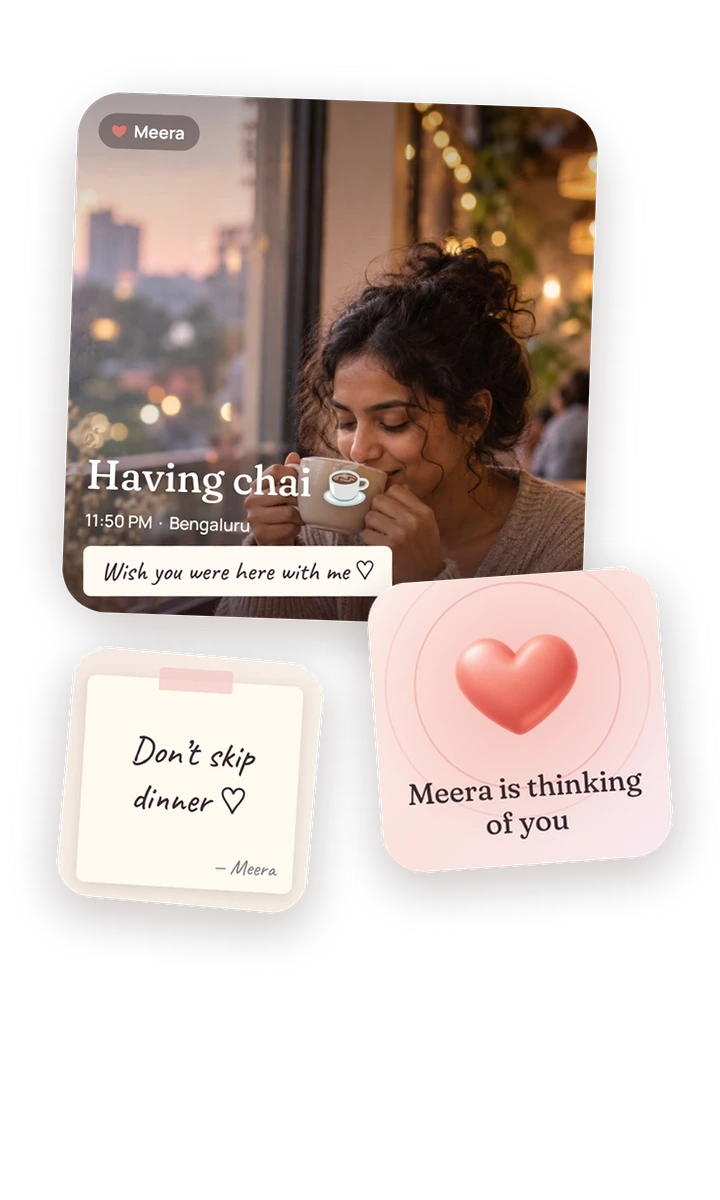

Far apart, still close.
We text all day, but I miss seeing what their day looks like.
Sometimes I do not have a message to send. I just want them to know I am thinking of them.
Most apps want me to say something. I would like a place that asks for nothing.
I wish we had a small space that belongs only to the two of us.
What Us gives you
Moments in seconds
Take a photo, add a few words and an emoji, and send. Sharing takes less time than typing a message.
Thinking-of-you pulses
A heart, a hug, a kiss, “miss you” or “proud of you”, sent in one tap.
Moods and little notes
Show how you feel today, or leave a handwritten-style note for them to find.
Daily rituals
Good morning, reached work, lunch, heading home, good night. Suggested at the right time of day, answered in one tap.
A private Memories timeline
Everything you share quietly builds a diary of your relationship that only the two of you can see. Favourite the moments you want to keep.
Made for distance
Count down to your next visit. If you both choose to, see the distance between you, rounded and kind, never an exact location.
A day with Us
Here is one ordinary day, and what Us does in it. Every feature below is in the app today.

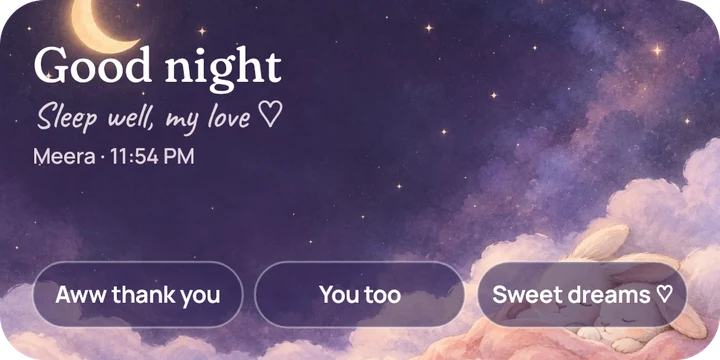
Morning
Start the day like you are in the same room.
Us suggests a gentle good morning at the right time of day. Tap once to send it. On their home screen, the ritual widget shows your hello with quick replies underneath.
- Six rituals: good morning, reached work, lunch, heading home, reached home and good night
- Choose which ones you want in Settings
- No streaks. Miss a day and nothing happens

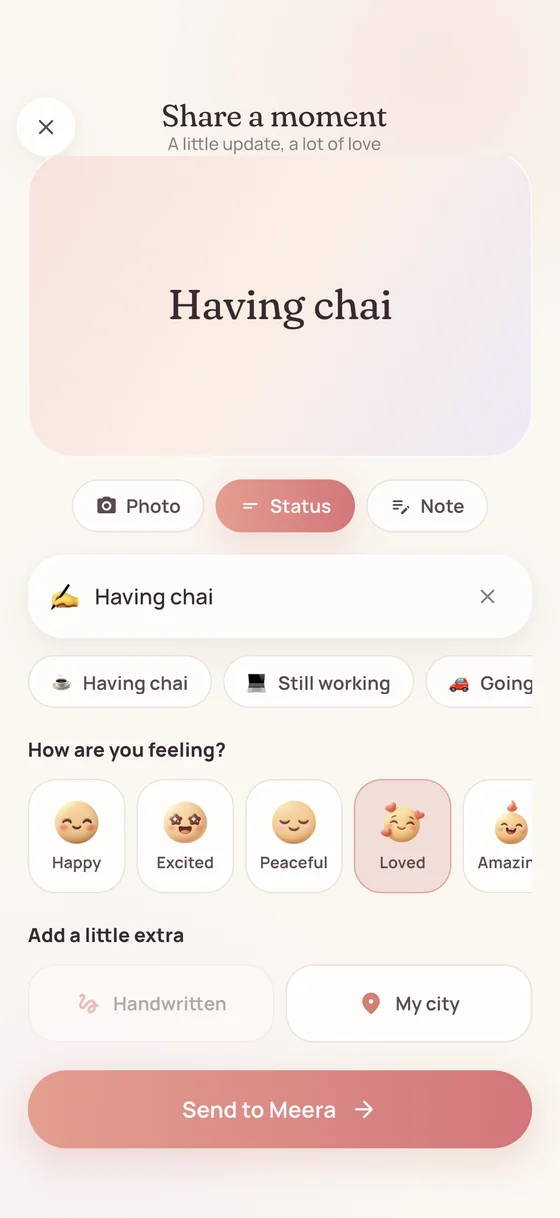
Midday
A moment in a few seconds.
Take a photo, add a few words and an emoji, and send. It appears on their What they're doing widget, so they can see your day without asking about it.
- Use the in-app camera or pick a photo you already have
- Photos have their location data removed before they leave your phone
- No signal? It waits and sends when you are back online

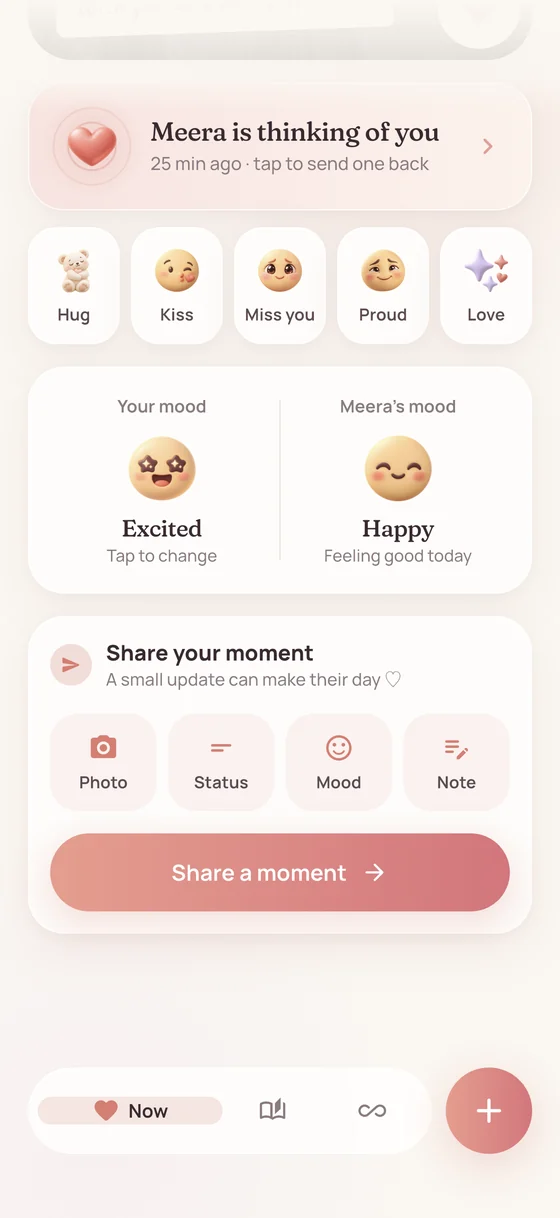
Afternoon
Say it without saying anything.
A heart, a hug, a kiss, miss you, proud of you or thinking of you, sent in one tap. Their phone shows a soft pulse, and they can send one back straight from the heart widget.
- Reply from the home screen without opening the app
- Add a reaction to any moment they share
- No read receipts and no pressure to reply

Evening
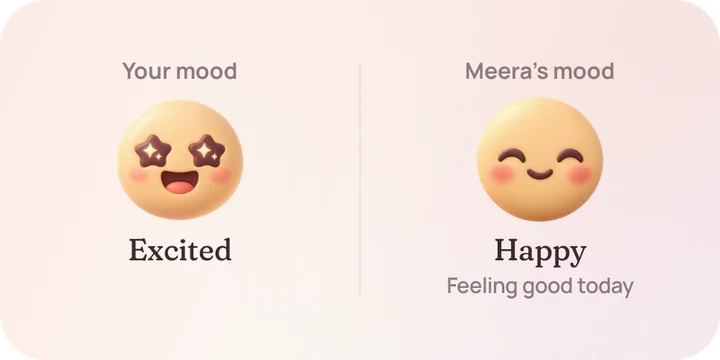
How are you today, really?
Share a mood and see theirs next to it: amazing, happy, loved, peaceful, missing you, stressed, exhausted and more. Leave a handwritten-style note and it lands on their note widget.
- Nine moods, shown side by side on the mood widget
- Notes show up on a sticky-note widget on their home screen

Far apart
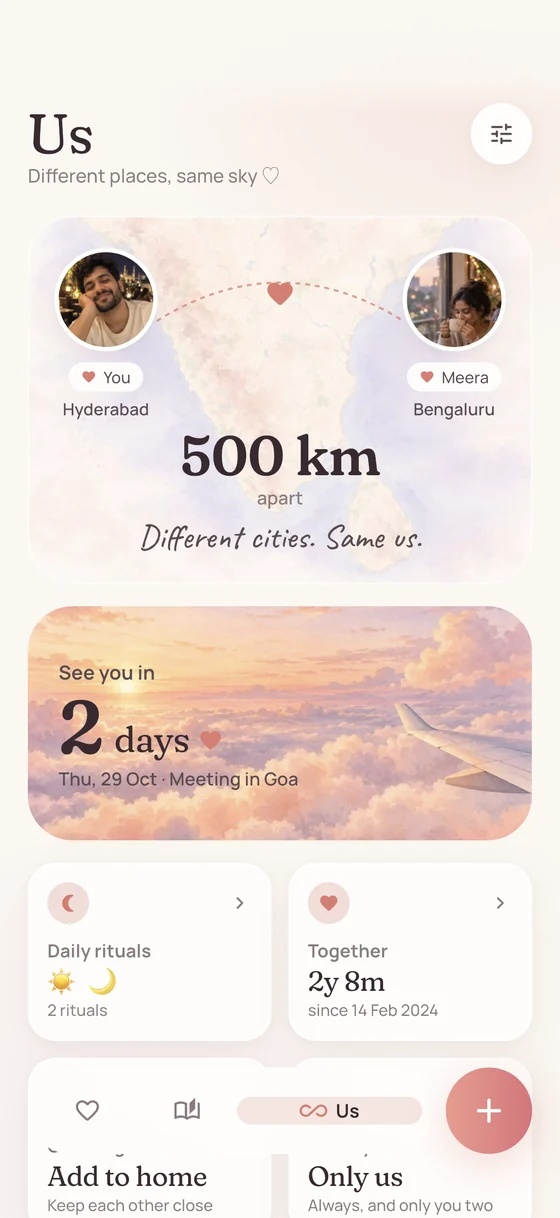
Different places, same sky.
If you both choose to, Us shows the distance between you in a way that feels kind. Your partner sees your city and a distance rounded to the nearest 5 km, never where you are.
- Optional, and you can switch it off at any time
- Coordinates never reach your partner
- Works between Android and iPhone


Looking ahead
Count down to the next hello.
Set the day you meet next. Both of you see the days left in the app and on the See you soon widget, over a sky that gets closer every day.
- One date for the two of you
- Shown on the See you soon widget on your home screen

Kept for later
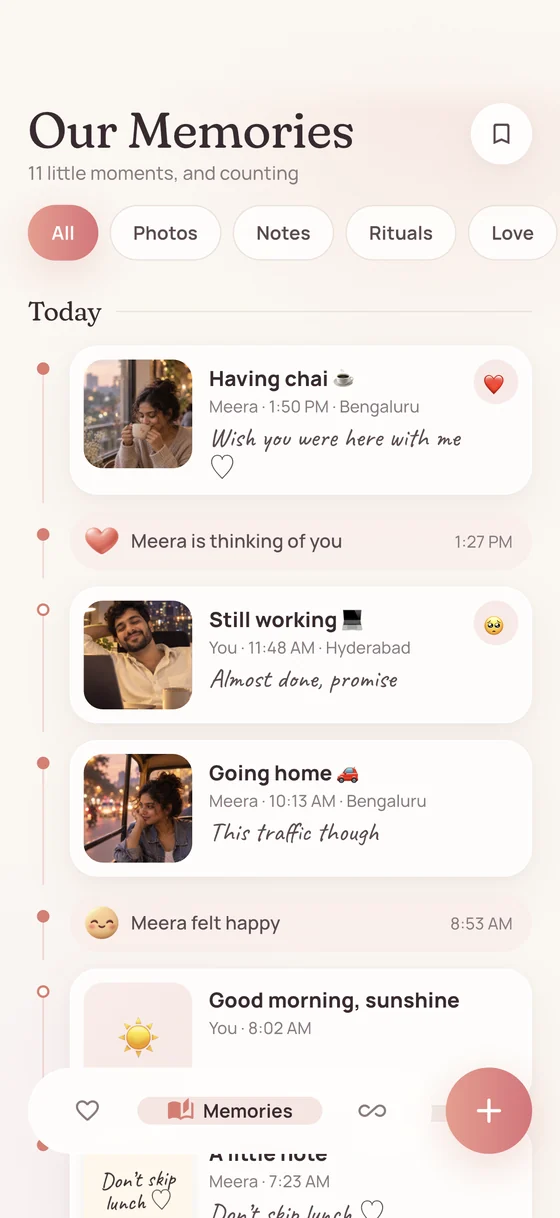
Everything you shared, quietly kept.
Your moments gather into a private Memories timeline that only the two of you can see. Favourite the ones you want to find again.
- No feed, no followers, no public profile
- If you unpair, your moments are kept for 30 days in case you reconnect, then deleted
- Delete your account from Settings whenever you like

Night
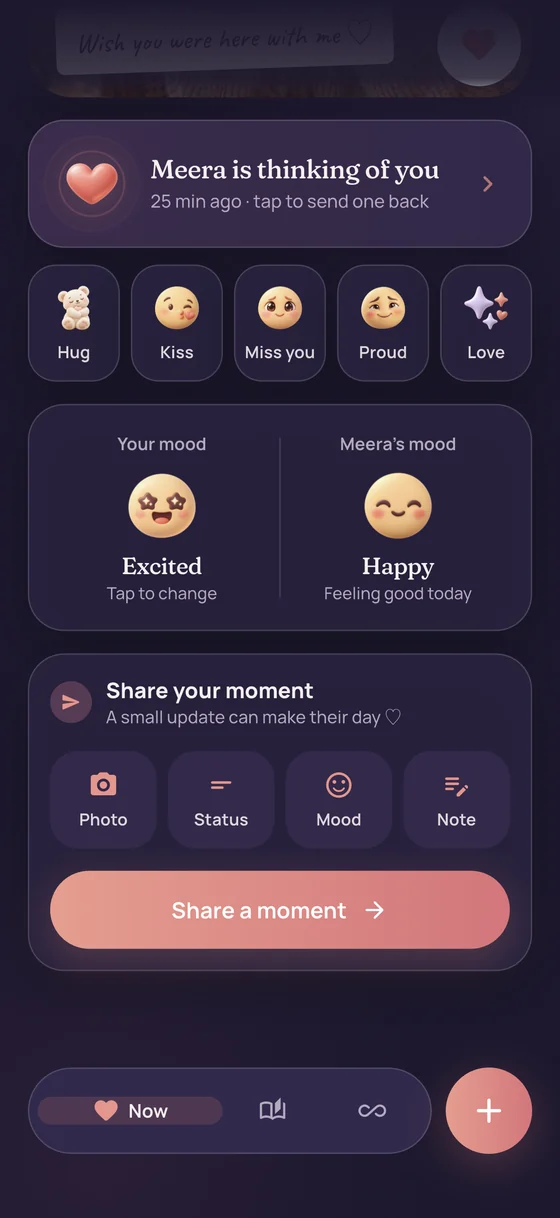
End the day together.
A good night ritual, a dark mode that follows your phone, and a widget that closes the day with one tap. If someone else might see your screen, discreet mode hides words and photos on widgets and notifications.
- Discreet mode covers both widgets and notifications
- Dark mode switches with your phone
Your person, on your home screen.
Eight widgets, in sizes that fit your home screen. Add the ones you like. Each one keeps showing the latest moment, even when you are offline.

What they’re doing
Their latest photo and status.

Thinking of you
Tap the heart to send love without opening the app.

Little note
Their latest handwritten note.
See you soon
A countdown to your next time together.
Our moods
How you each feel today, side by side.

Distance
Different places, same sky. City names and a rounded distance, only if you both share them.
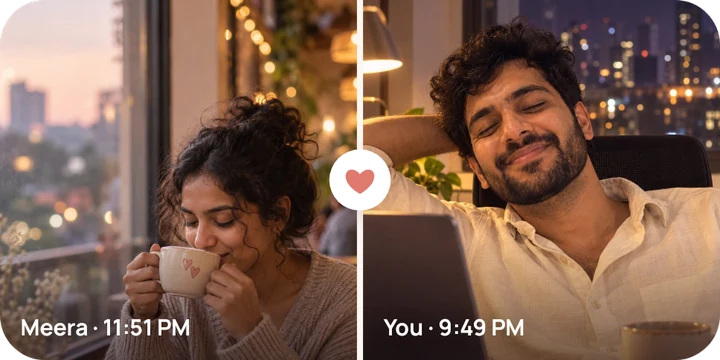
Two of us
Your latest moments, next to each other.
Daily ritual
Good morning and good night, with one-tap replies.
Pairing in a minute
Pair with a short code
One of you creates an invite and sends the code over WhatsApp or Messages. The other types it in. Each code works once and expires after 24 hours.
Share a tiny moment
Snap a photo, pick a mood or tap a heart. It takes a few seconds, and nobody expects a reply.
See it on their widget
Your moment shows up on their home screen, and slowly gathers into a Memories timeline for the two of you.
Private by design
Us is for two people and nobody else. Only the person you pair with can see what you share. Location is optional and always rounded: your partner sees a city name and a distance to the nearest 5 km, never coordinates.
- No ads, no streaks, no public profiles and no feeds
- Discreet mode keeps words and photos off your widgets and notifications
- Photos have their location data removed before they leave your phone
- Crash reports contain no moments, names or locations
- Unpair or delete your account from inside the app

Questions
Is Us free?
Version 1.0 has no ads and no in-app purchases, and we do not sell your data.
Is Us a messaging app?
No. Keep talking on WhatsApp or iMessage. Us is for the small things in between: a photo, a mood, a heart. There are no chats, no read receipts and no streaks, so nothing happens if you miss a day.
What does my partner see about me?
Only what you choose to share: your moments, pulses, moods and notes. If you turn on city sharing, they see your city name and a distance rounded to 5 km. They never receive coordinates, and you can switch it off at any time.
Can we use different kinds of phones?
Yes. One of you can be on Android and the other on iPhone, and you can pair across both.
What does Us store about me?
Your profile, what you share with your partner, and, if you turn it on, your approximate city. Photos have their location data removed before they leave your phone. The privacy policy has the full list.
How do I keep my connection safe if I change phone?
Linking an account is what protects your connection and memories if you change phone or reinstall. Open the Us tab, then Settings, then Keep us safe, and link Google (Android and iPhone) or Apple (iPhone and iPad).
Does Us work on iPad?
Yes. On iPad, Us runs as a centred, phone-sized column.
What is discreet mode?
A setting that hides words and photos on your widgets and in notifications, for when other people might see your screen. The widget and the notification still arrive, they just do not show the content.
How do I unpair or delete my account?
Open the Us tab, tap the settings icon and choose Unpair or Delete my account. Deleting removes your account and profile straight away, and the moments you shared are permanently deleted after 30 days. The delete account page has the steps, including what to do if you cannot open the app.
My widget is not updating. What can I do?
Some phones hold back background updates to save battery. In the app, open Settings, then Staying in sync, and follow the steps for your phone. The support page has more.